Pakistan passport guide · 6 min read
Pakistan passport photo size, DGIP: 350 x 467 pixels
If you are searching for the Pakistan passport photo size, the short answer is 350 x 467 pixels for the online application. For a passport size photo in Pakistan, DGIP does not just want any studio print — it lists a specific digital size, JPG format, plain white background, and file-size limit. Below are the exact passport size photo dimensions in Pakistan, plus how to hit them.
Official source
Checked against DGI&P photograph guidance
We checked the DGI&P photograph guide and the online passport context on July 2, 2026. The guide asks for a recent photo, plain white background, 45mm high by 35mm wide print size, clear face and eyes, no glasses, and face coverage around 70-80%. Kodotools uses the 350 x 467 px Pakistan online preset for digital upload preparation.
DGIP passport photo requirements
| Requirement | Value |
|---|---|
| Digital dimensions | 350 x 467 pixels for the Pakistan online preset used by this tool |
| File format | JPEG / JPG |
| Tool file-size target | Under 3MB; if your live portal shows a different maximum, follow the portal |
| Printed/photo guide size | 45mm high by 35mm wide |
| Background | Plain white background |
| Face framing | Close-up of head and shoulders; face around 70-80% of the photograph |
| Photo age | No more than 6 months old |
Kodotools can prepare the crop, pixels, JPG export, and file-size target. It cannot verify whether your photo is recent, whether your expression is acceptable, or whether a portal reviewer will accept the final image.
How Kodotools matches the DGIP settings
| DGIP requirement | Kodotools setting |
|---|---|
| 350 x 467 pixels | The Pakistan online preset exports the final photo at exactly 350 x 467 px. |
| JPEG / JPG | The download button exports JPG automatically, so users do not accidentally submit PNG or WebP. |
| Under 3MB tool target | The Pakistan online preset targets a JPG below 3MB. If the live portal shows 5MB or another cap, your portal rule comes first. |
| White background | The background fill defaults to white, but start with a real plain white photo whenever possible. |
| Recent clear photo | Kodotools cannot verify recency, lighting, expression, or whether the eyes are clearly visible. |
Free tool
Need to make the photo now?
Use the browser-only Pakistan passport photo maker. It crops to 350 x 467 pixels, exports JPG, and targets a small file below 3MB while keeping the photo on your device.
Open Pakistan passport photo maker →Tool screenshots
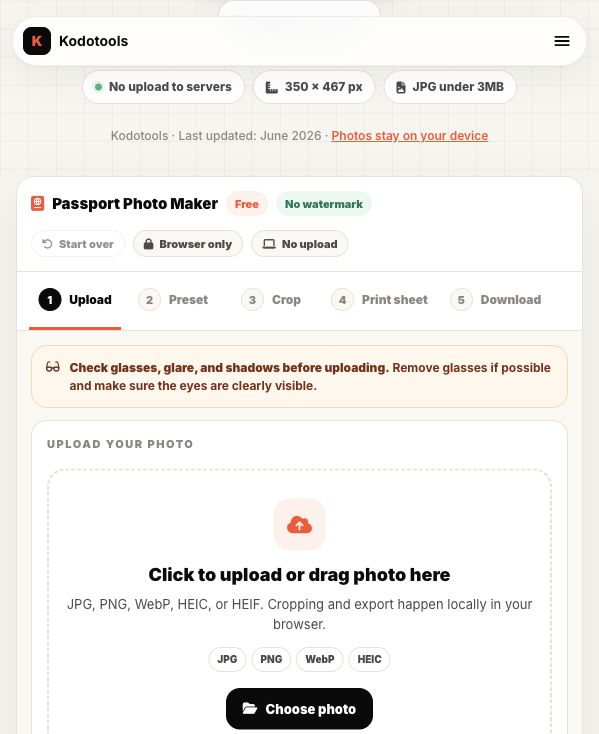
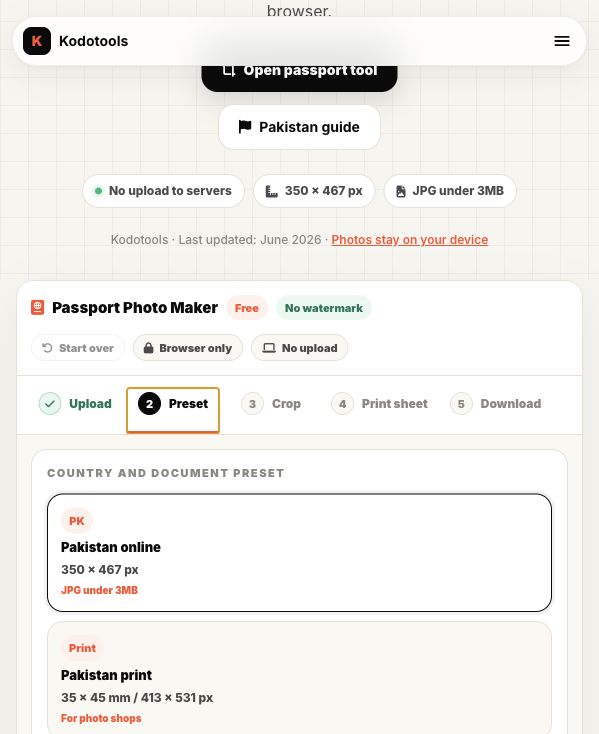
The passport photo maker starts with a simple upload step, then shows the Pakistan preset before crop. That keeps the requirement visible before the user downloads anything.
Pakistan passport photo size: 350 x 467 pixels vs 35 x 45 mm
Printed passport photos are often described in millimeters, such as 35 x 45 mm. Online passport uploads use pixels because the portal receives a digital file.
For DGIP online submission, prepare the digital image at 350 x 467 pixels. If you also need printed copies, use the crop preview as a confidence check, then confirm print sizing with your photo shop.
Why you may see 3MB or 5MB mentioned
DGI&P photograph guidance says the photograph size can be maximum up to 5MB, while some online upload flows and older guidance are commonly described as under 3MB. The safe approach is simple: use a clear JPG that is well below the limit shown on your live application screen.
A 350 x 467 px JPG normally stays far below both limits unless it is saved with unusual metadata. If your file is still too large, download again with slightly lower JPG quality or use the passport photo compressor.
Why head position matters
Most rejected DIY passport photos are not rejected because of pixels. They are rejected because the face is too large, too small, tilted, shadowed, or badly centered.
In the Kodotools cropper, use the guide bands as a practical visual aid: keep the top of the head near the upper band, keep the chin near the lower band, and leave enough shoulder area so the photo does not look like a tight selfie crop.
Step-by-step: make a DGIP passport photo
- Take a proper photo first. Use a plain white background, even lighting, and a front-facing pose.
- Open the Pakistan passport photo maker. The correct 350 x 467 px preset is already selected.
- Upload the photo. JPG, PNG, WebP, and iPhone HEIC files are supported.
- Drag and zoom. Align the head and shoulders using the visible guide overlay.
- Download the JPG. The final file is 350 x 467 pixels and should be far below 3MB.
When to retake instead of editing
Retake the photo if the eyes are hidden, glasses create reflections, the face is turned away, the mouth is open, the background is busy, or strong shadows appear on the face. Cropping cannot reliably fix those problems.
Editing is useful when the original photo is already clear and front-facing, but the file needs the correct 350 x 467 px crop, JPG format, or a smaller upload size.
Common mistakes to avoid
- Cropping only the face: keep shoulders visible.
- Using a busy background: start with a clean white background.
- Leaving glasses on: reflections or covered eyes can cause problems.
- Compressing a huge image first: crop to 350 x 467 pixels before worrying about file size.
- Using PNG output: JPG/JPEG is the safer format for the DGIP upload requirement.
FAQ
What is DGIP passport photo size in pixels?
350 x 467 pixels for the online passport photo upload.
What file type should I use?
Use JPG or JPEG. The Kodotools passport photo maker exports JPG automatically.
Is 350 x 467 pixels the same as 35 x 45 mm?
No. 350 x 467 pixels is a digital image size. 35 x 45 mm is a physical print size. They have a similar portrait ratio, but you should use the format required by your application.
Should my file be under 3MB or 5MB?
Follow the limit shown on your live DGI&P application page. Kodotools targets under 3MB because a 350 x 467 px JPG normally does not need to be larger.
Can Kodotools make my photo accepted?
Kodotools prepares the size and format. Acceptance also depends on photo quality, face position, background, lighting, and portal review.
Guides
Passport photo guides
Country, size, crop, background, and file-format notes for passport-style uploads.
Passport photo size guide
Common country sizes, pixels, millimeters, file limits, and official source links.
Read guide →Passport photo size in pixels
Pakistan, US, 2x2, 35x45, and UK digital pixel sizes explained.
Read guide →Compress passport photo to 50KB
A practical guide for passport, visa, and consular photo limits.
Read guide →Make a Pakistan passport photo
Crop to 350 x 467 pixels and download a JPG under 3MB.
Open passport photo maker →